
DOMS - A Report Builder Software for Cooperate Office Users

INTRODUCTION
When I first got the opportunity to design DOMS, the mission felt exciting, building a reporting tool that regular office workers could actually enjoy using. Not a complex business intelligence system. Not a tool meant only for analysts. Just a simple, friendly way for cooperate professionals to turn their everyday data into clear, visual insights.
As I progressed into the project, I held onto the vision: “reporting shouldn’t feel like homework. It should feel approachable”, something anyone could figure out without tutorials or technical background.
But along the way, a major challenge surfaced. The lead engineer wanted to shape DOMS into something that looked and behaved like Power BI; advanced, complex, and built for experts. While that direction made sense technically, I knew it risked shutting out the very people we wanted to empower.
That tension became a turning point for me. It reminded me that design isn’t just about making things functional. It’s about protecting the user’s experience. DOMS became more than a tool; it became a lesson in fighting for simplicity, accessibility, and empathy from start to finish.
MY ROLE
As the Product & UI Designer, I was responsible for conceptualizing the user experience, designing the interface, and aligning usability goals with the product vision. I conducted research, mapped out core user journeys, and designed high-fidelity mockups that emphasized clarity, accessibility, and simplicity for non-technical users.
THE CHALLENGE
Most office professionals rely on fragmented tools such as; spreadsheets for tracking, shared drives for storage, and overly complex BI software for reporting which many companies have refused to adopt due to its complexity.
For everyday cooperate users, this fragmentation creates confusion, steep learning curves, and resistance to adopting digital reporting tools. The challenge was to design a single, structured platform that made report creation feel effortless, powerful enough to handle data, yet simple enough for non-technical users to understand at a glance.
DOMS needed to bridge the gap between enterprise grade functionality and human-centered usability, without overwhelming its target audience.
MY GOAL
My goal with this project was to simplify the process as much as possible such that even an intern who is hired today gets acquainted with the platform within a day or two of onboarding. However this goal was a bit dashed as the lead engineer for the project wanted something more complex.
RESEARCH INSIGHTS
My research focused on understanding how office workers interact with existing reporting tools. I interviewed professionals across administrative, finance, and HR departments; individuals who often compile data but rarely use advanced analytics platforms.
Here’s what I discovered:
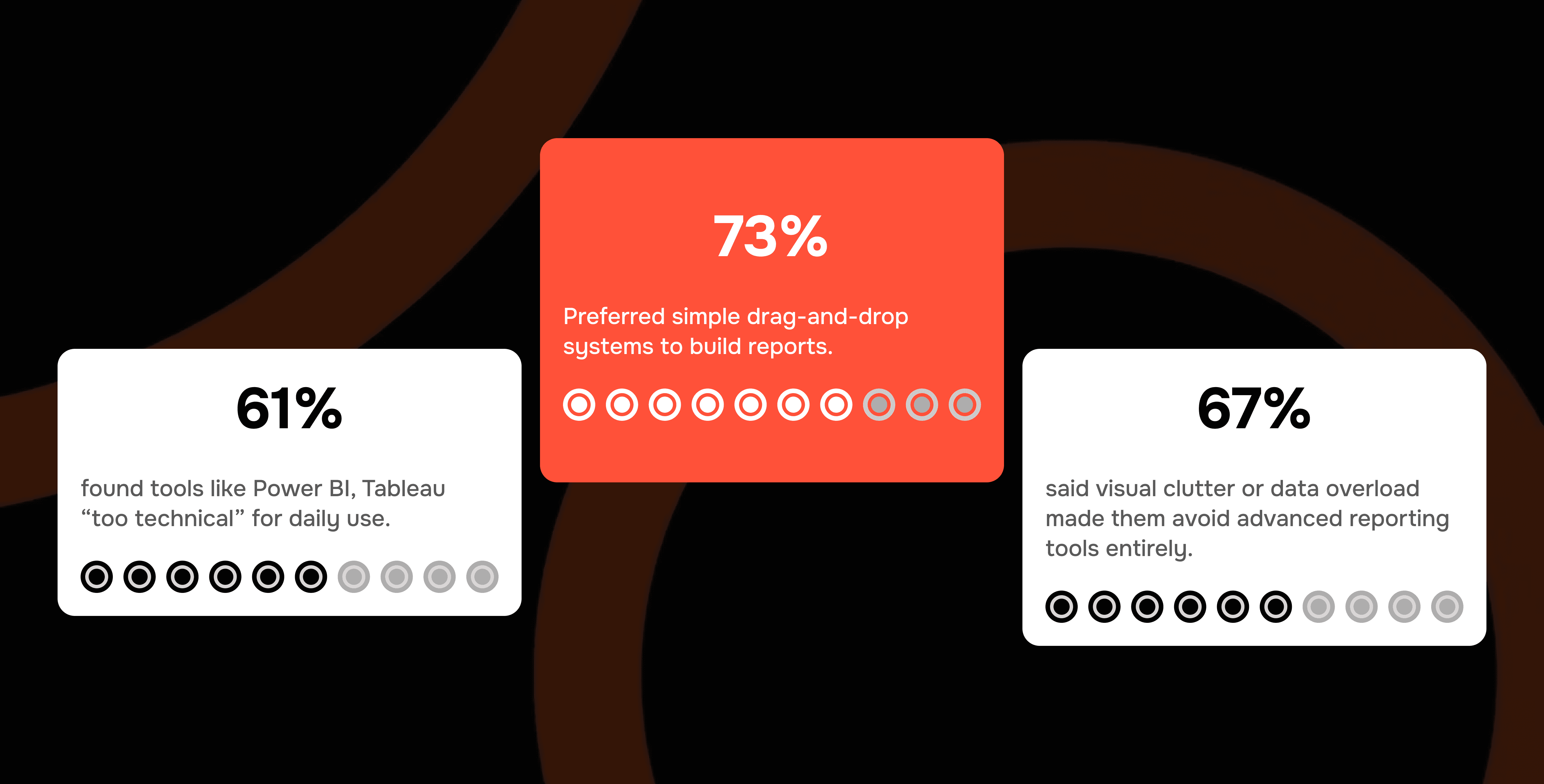
61% found tools like Power BI, Tableau “too technical” for daily use.
73% preferred simple drag-and-drop systems to build reports.
67% said visual clutter or data overload made them avoid advanced reporting tools entirely.
The insight was clear: users wanted familiarity, clarity, and gentle guidance, not the intimidating freedom of a complex software.
THE DESIGN PROCESS — A STORY OF ADVOCACY
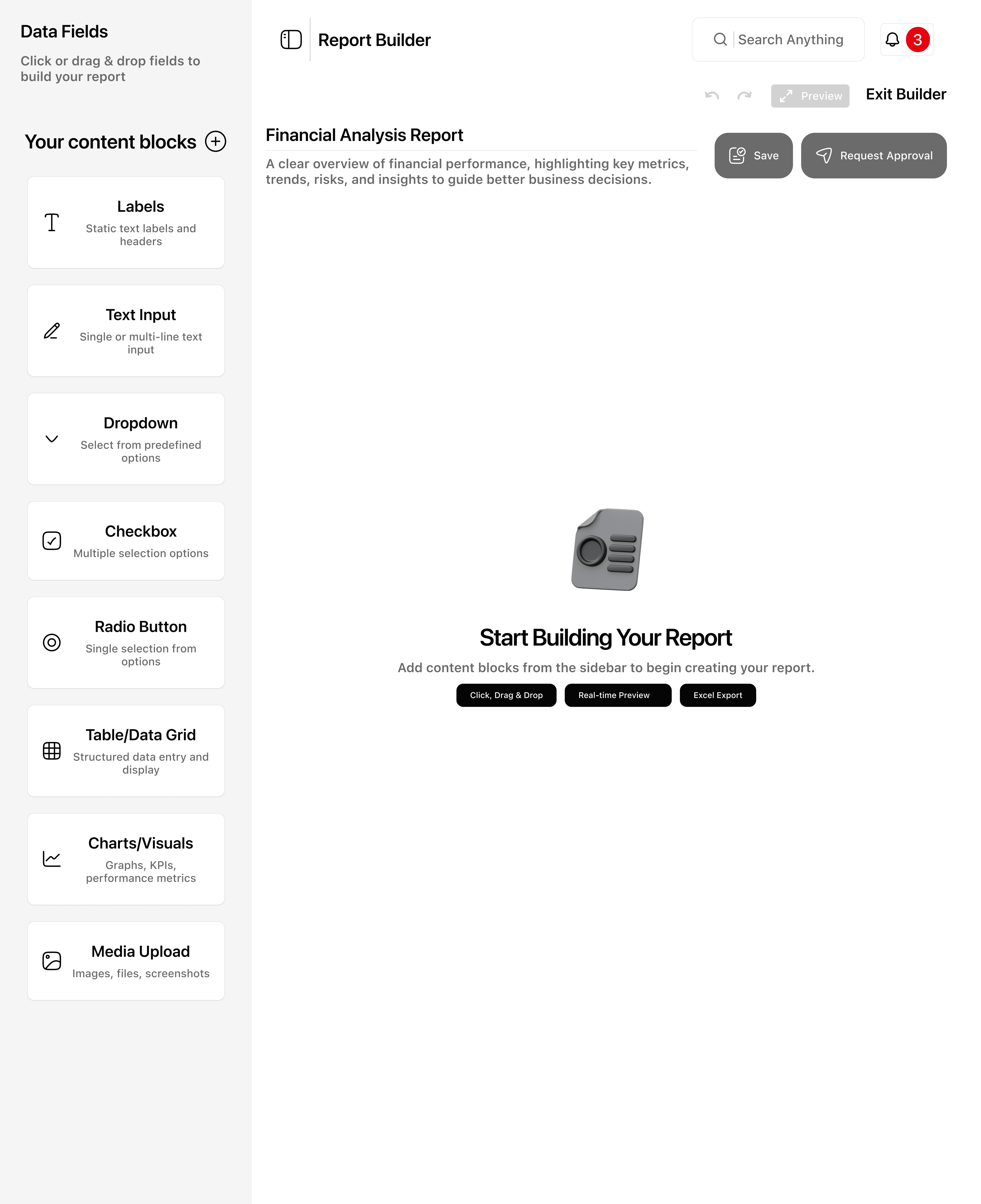
But one thing stood out: these same users were completely comfortable creating documents in Microsoft tools and even Google Forms. That familiarity became the clue. Reporting didn’t need to feel like data analysis, it needed to feel like filling out a form. So, I began shaping early flows that looked more like a clean document editor than a BI tool: boxes instead of charts, placeholders instead of metrics, building confidence first, functionality second.
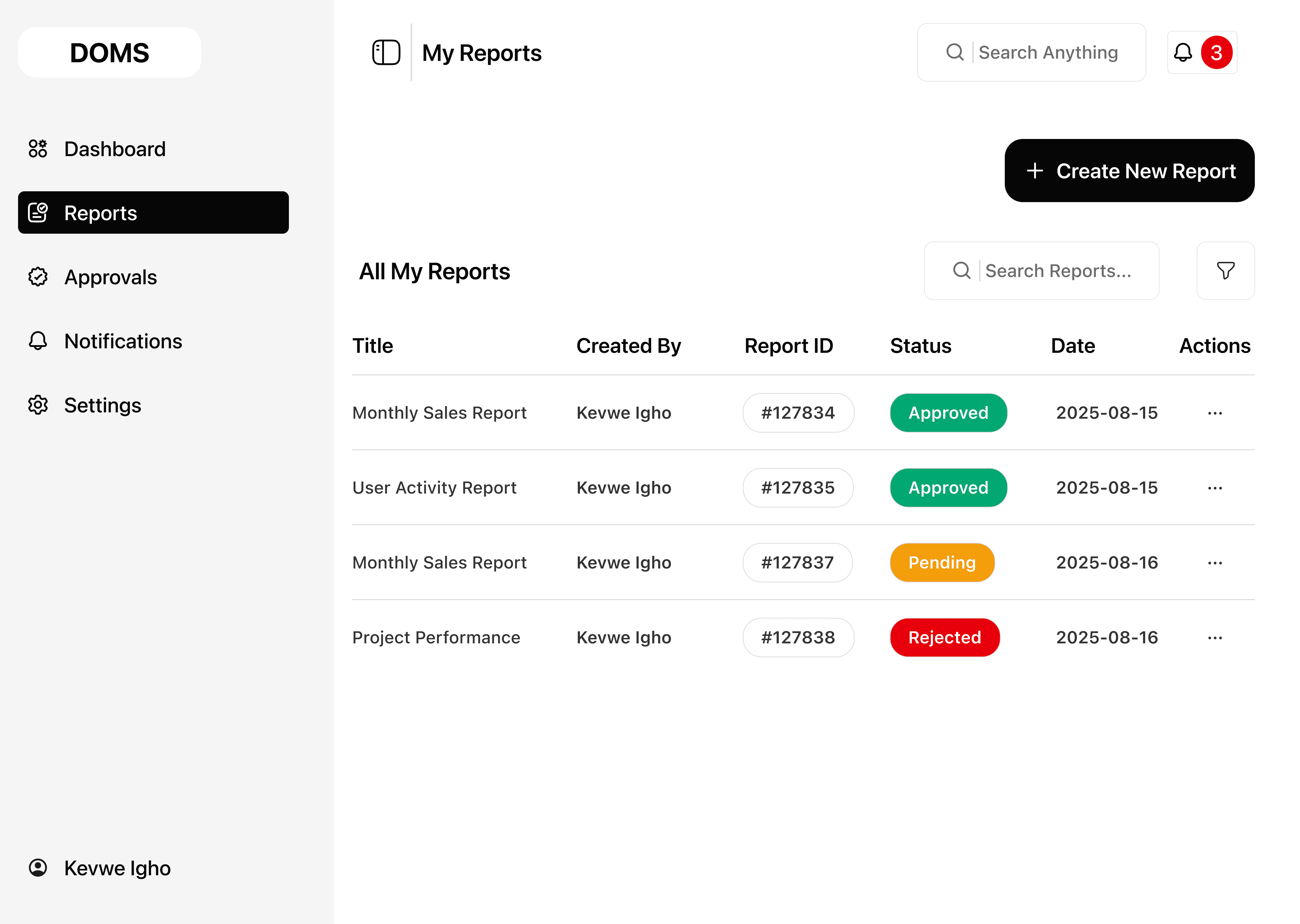
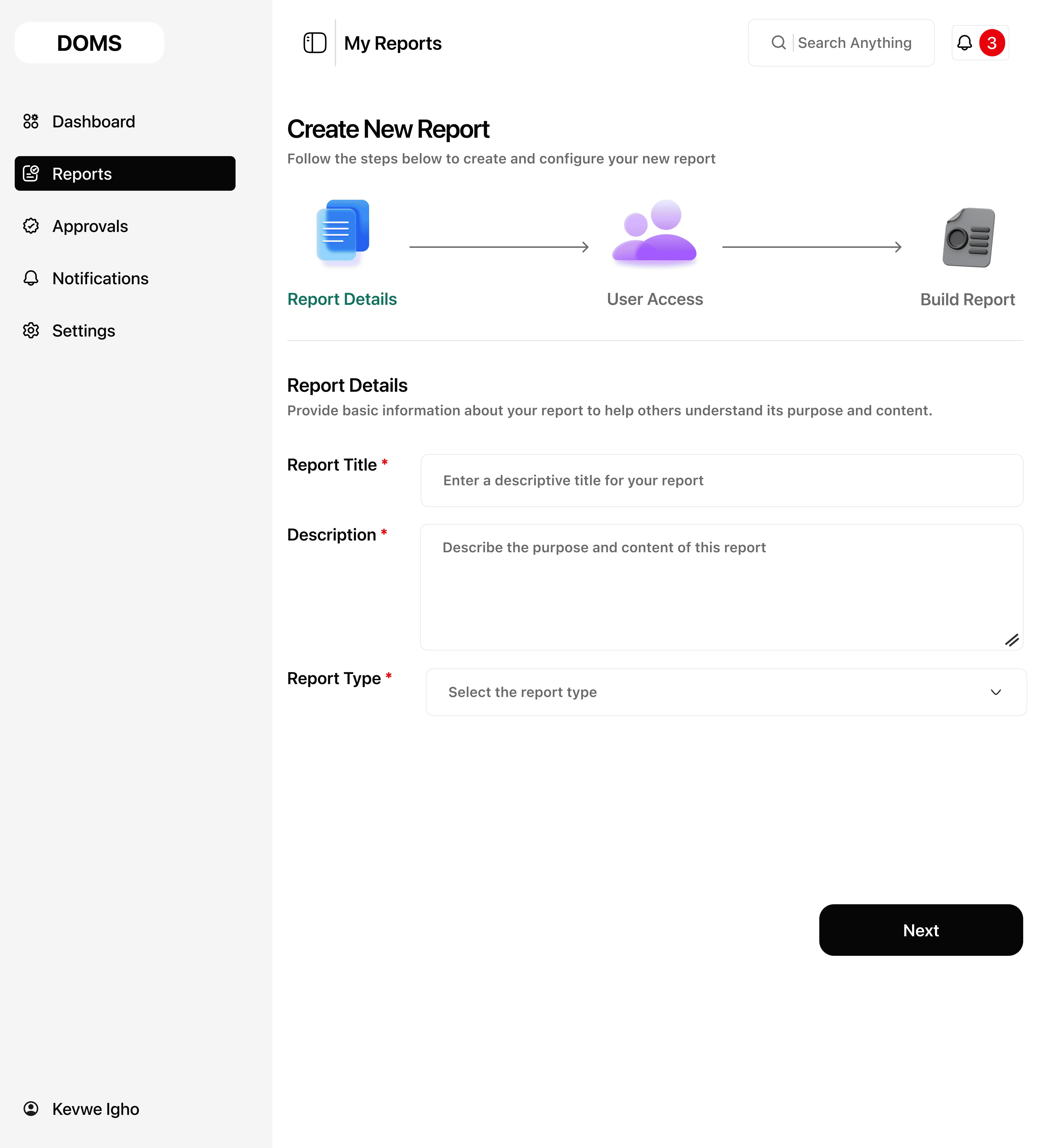
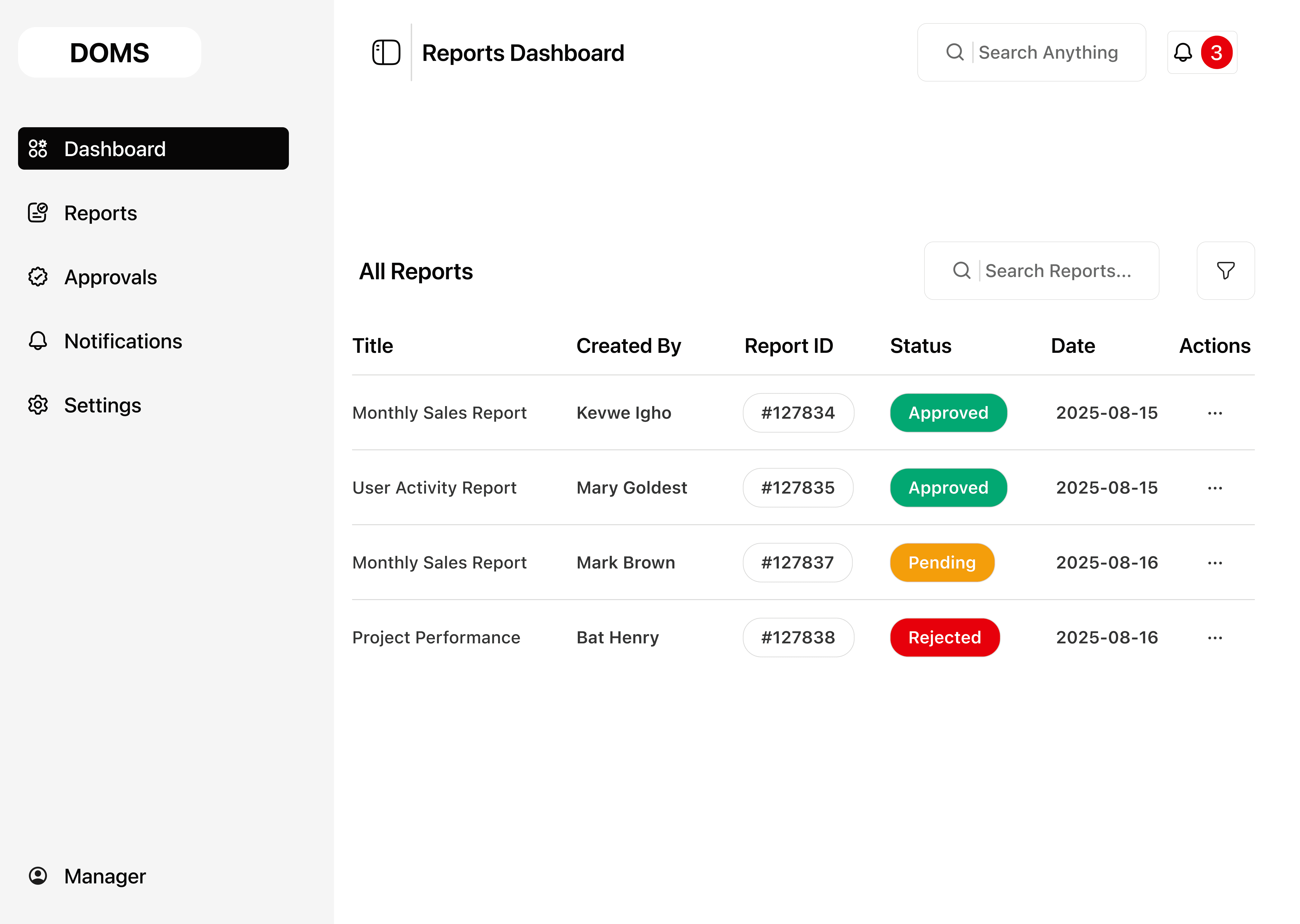
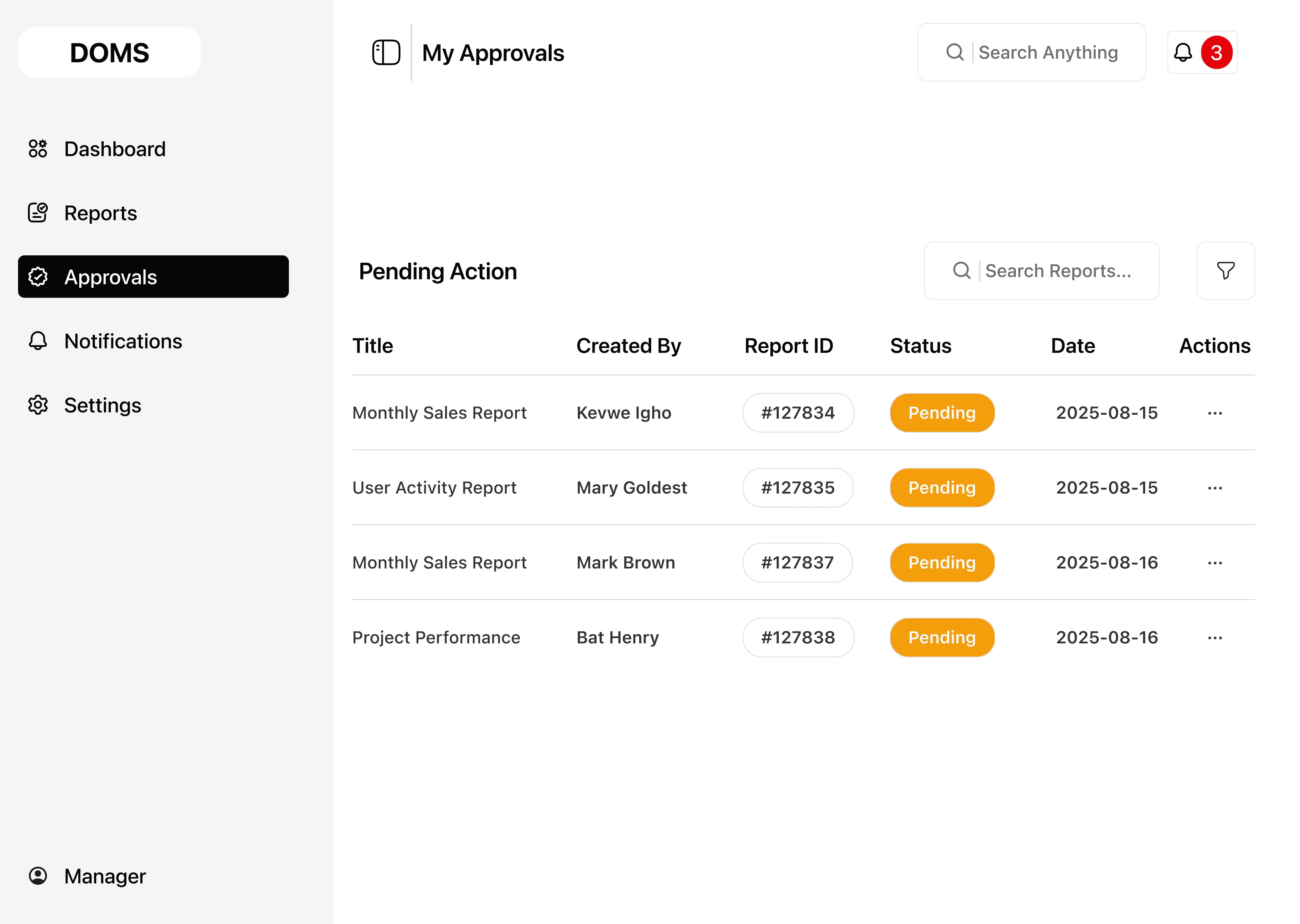
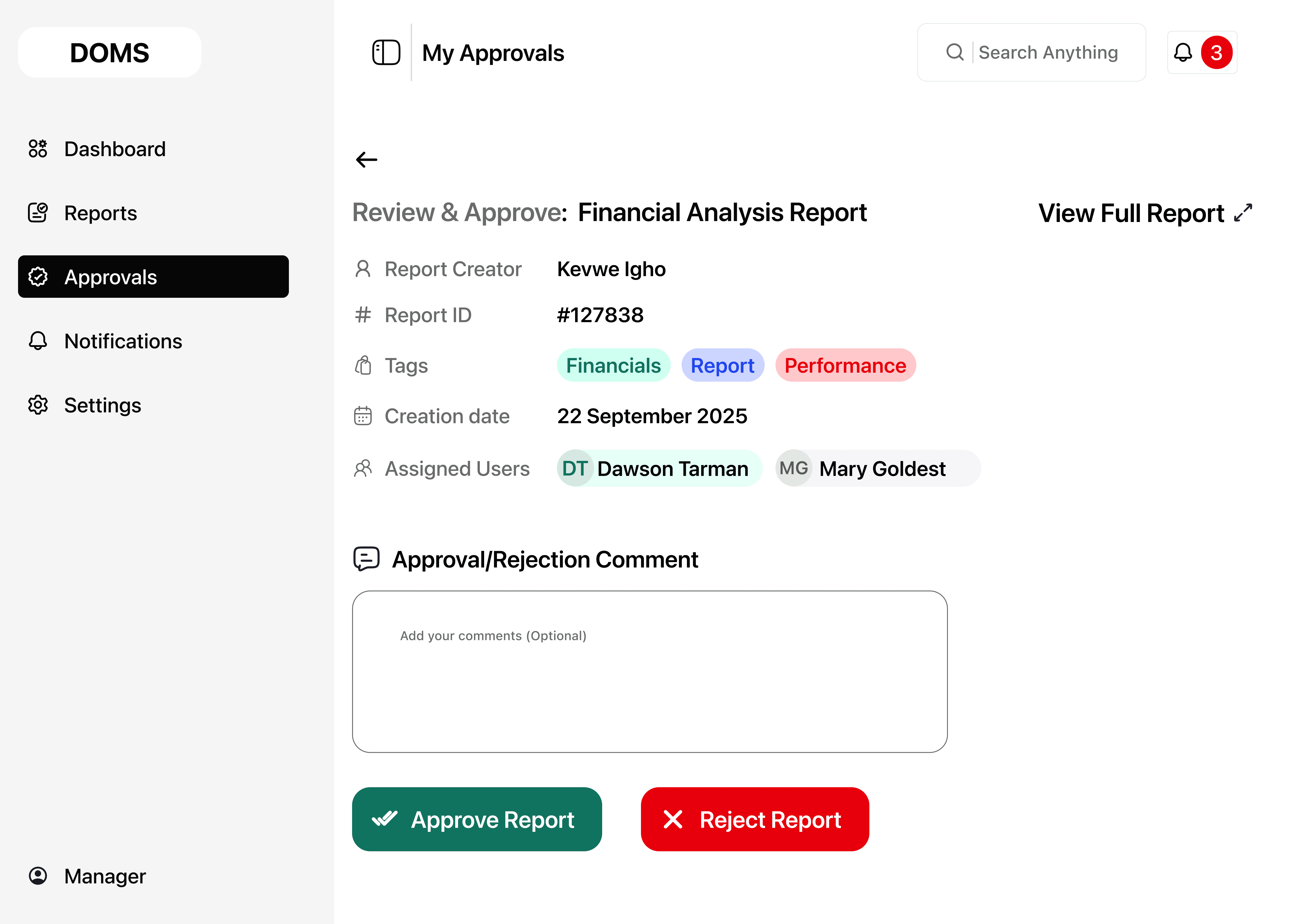
This insight evolved into a structure designed for calm and clarity. A guided navigation panel reduced decision overload, a drag and drop builder canvas made assembling reports intuitive, and an insights view summarized results so they could be shared effortlessly. Using familiar language like “Add Data” instead of technical terms lowered the barrier even further. Each usability test with everyday office workers turned feedback into micro improvements, keeping interactions aligned with the document-creation habits they already trusted. With every iteration, users who once avoided reporting tools began engaging more willingly. It became clear that the true power of DOMS would come not from advanced dashboards, but from how simple and natural it felt.
Just as the design matured into high-fidelity prototypes, the engineering direction took a different turn. To speed development, the team suggested mirroring Power BI’s complexity, a decision that risked erasing what users valued most. It became the defining conflict of the project: technology pushing toward sophistication, while everyday workers needed confidence and clarity. I advocated using research evidence and usability findings, not for personal preference, but to keep real users at the heart of the product. Even though the final build leaned toward the engineering approach, I continued documenting simplified flows and onboarding cues to preserve a human-friendly experience. In the end, DOMS became more than a design exercise. It became a lesson that great products are shaped not by what is easiest to build, but by what makes people feel capable, empowered, and in control.

KEY DESIGN OBJECTIVES
Simplify the Experience:
Design an interface that feels like working in a familiar document, easy to navigate, with minimal setup or configuration.
Reduce Cognitive Load:
Replace information overloaded dashboards with progressive layouts that guide users step by step through building and viewing reports.
Promote Visual Clarity:
Use clean layouts, simple data visuals, and neutral color palettes to ensure focus on information, not interface complexity.
Support Non-Technical Users:
Integrate hints, tooltips, and clear data blocks to reduce learning friction and build user confidence.
PROPOSED SOLUTION
The design centered on making report building approachable rather than intimidating.
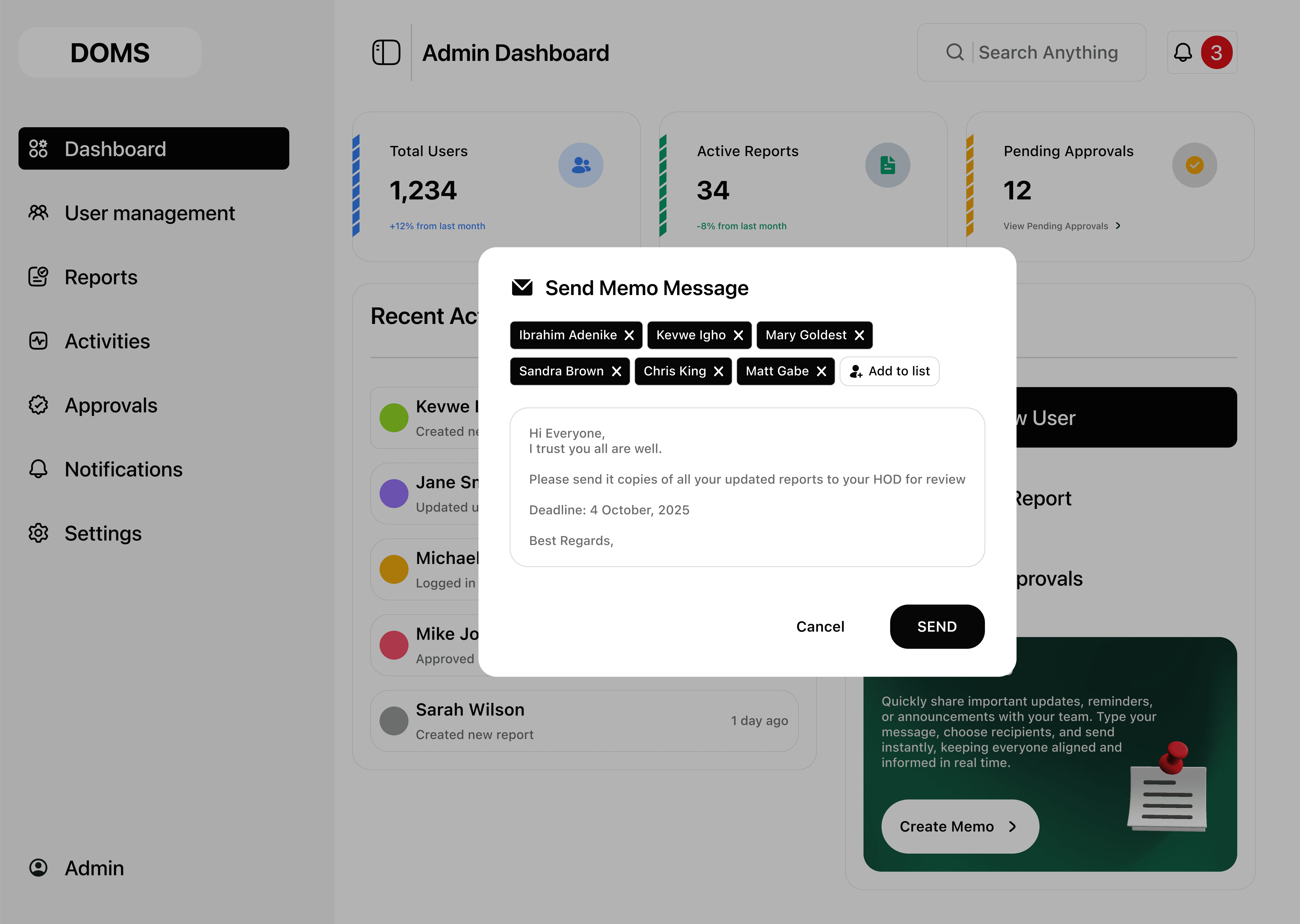
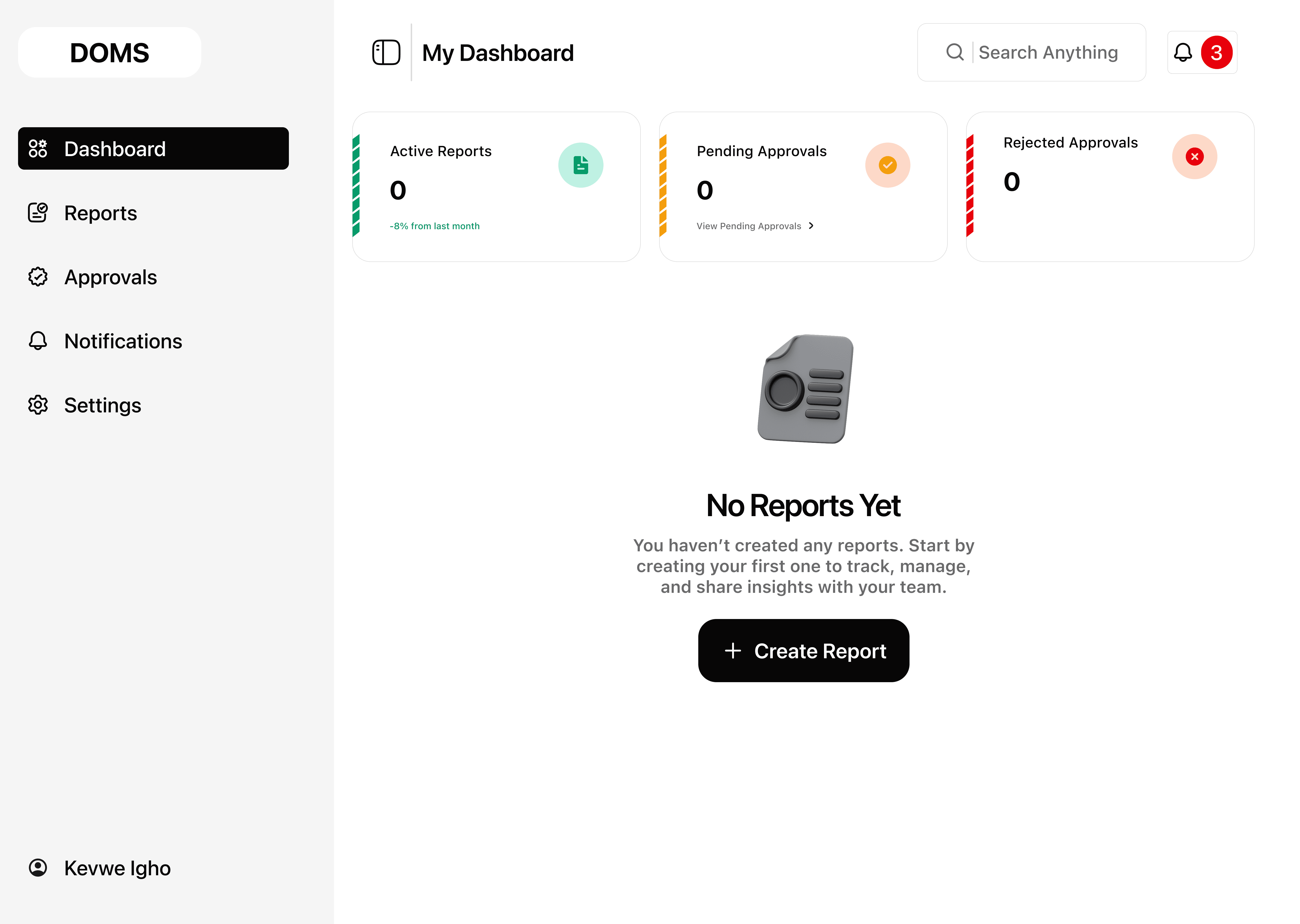
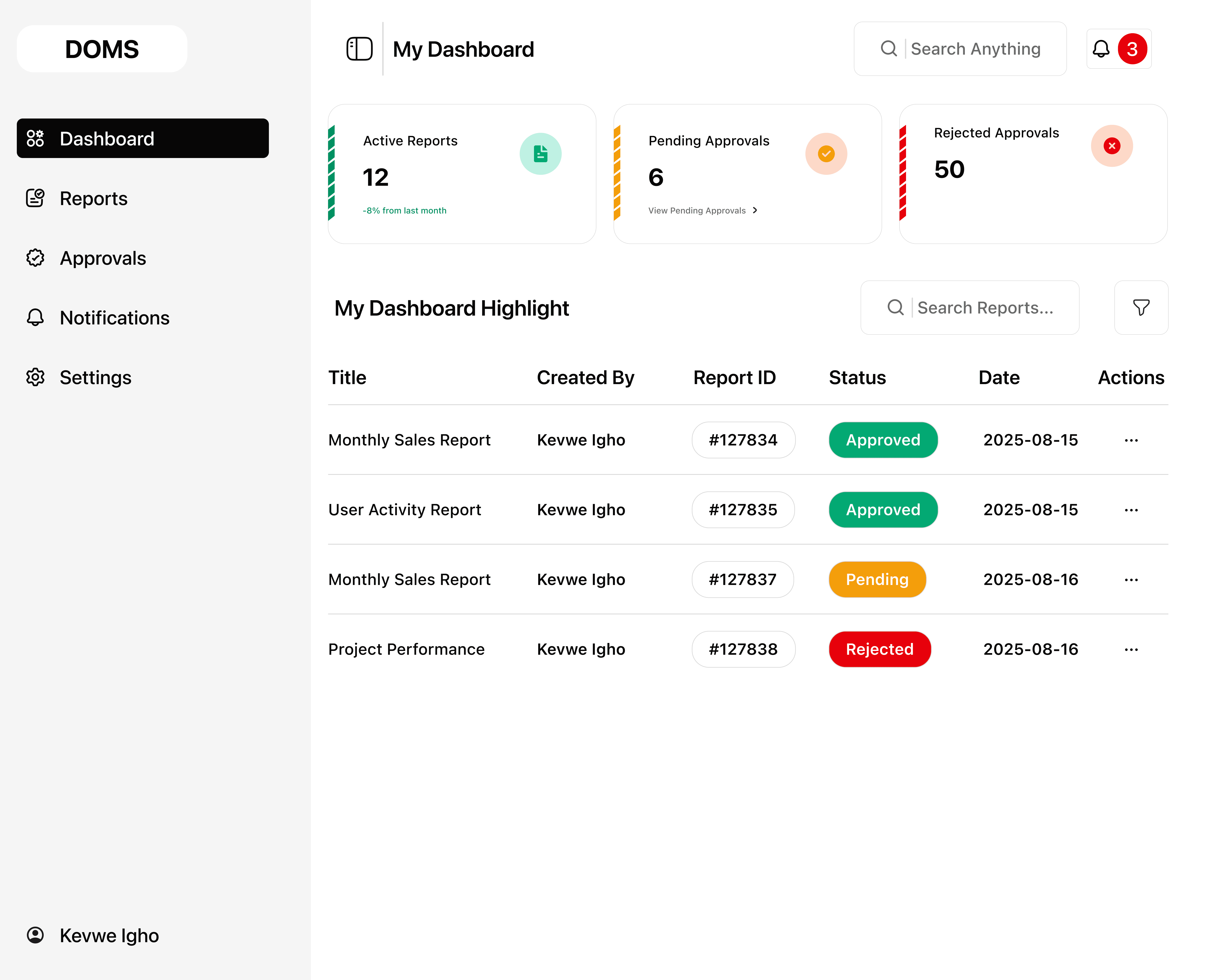
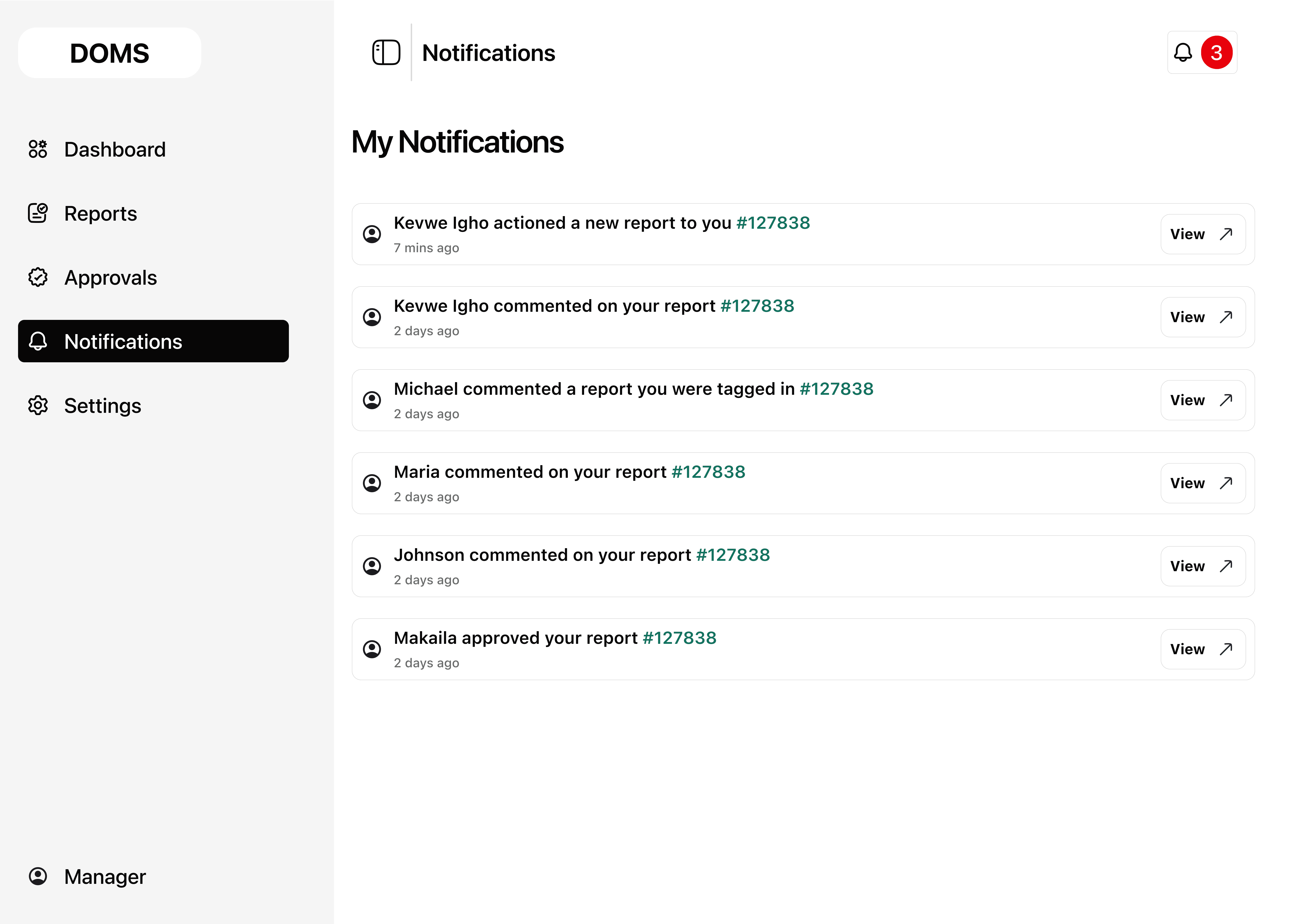
Instead of replicating complex BI software, I proposed a streamlined workspace divided into three clear zones:
The design aimed to feel lightweight yet professional, with soft neutral colors, rounded cards, and calm spacing, inspired more by productivity apps than BI software.
However, during design review, the engineer requested that DOMS mimic Power BI’s interface and flow to “ease development.” While technically logical, I argued this would compromise usability and alienate our non-technical audience.
Despite my reasoning, the engineering-driven approach prevailed a learning experience that reshaped how I approach collaboration and advocacy in product teams.
KEY TAKEAWAYS FROM THIS PROJECT
Balancing Vision and Collaboration
I learned that having a clear design vision is important, but so is navigating team dynamics, especially when technical perspectives dominate.
Advocating for users is part of the job
This project reminded me that usability always trumps familiarity. Designing for end-users, not for engineers, should remain the guiding principle.
Data beats opinion in the room
The best product decisions happen when design, engineering, and business goals are in genuine dialogue. DOMS taught me how to be a clear, calm voice in that dialogue and how to document design reasoning so it survives the handoff.
Users don't abandon bad tools. They avoid tools that make them feel incompetent
Every design decision in DOMS was built around restoring confidence to everyday office workers, not impressing power users.
OUTCOME / IMPACT
DOMS challenged me to do something harder than designing a great interface, it required me to defend it in front of people who had the power to override it. Through structured user research with corporate professionals across admin, finance, and HR, I built a clear, evidence-backed case that simplicity wasn't a preference, it was a product requirement. That research became my strongest design tool.
While the final engineering build leaned toward complexity, every simplified flow, onboarding cue, and guided interaction I documented remains a functional blueprint for what DOMS can still become. The process sharpened my ability to translate user data into design decisions that non designers can understand and act on; a skill that matters deeply in any product team.
The core lesson: a designer's most important output isn't always the final screen. Sometimes it's the clarity you bring to a room full of competing priorities.